
📖 Overview
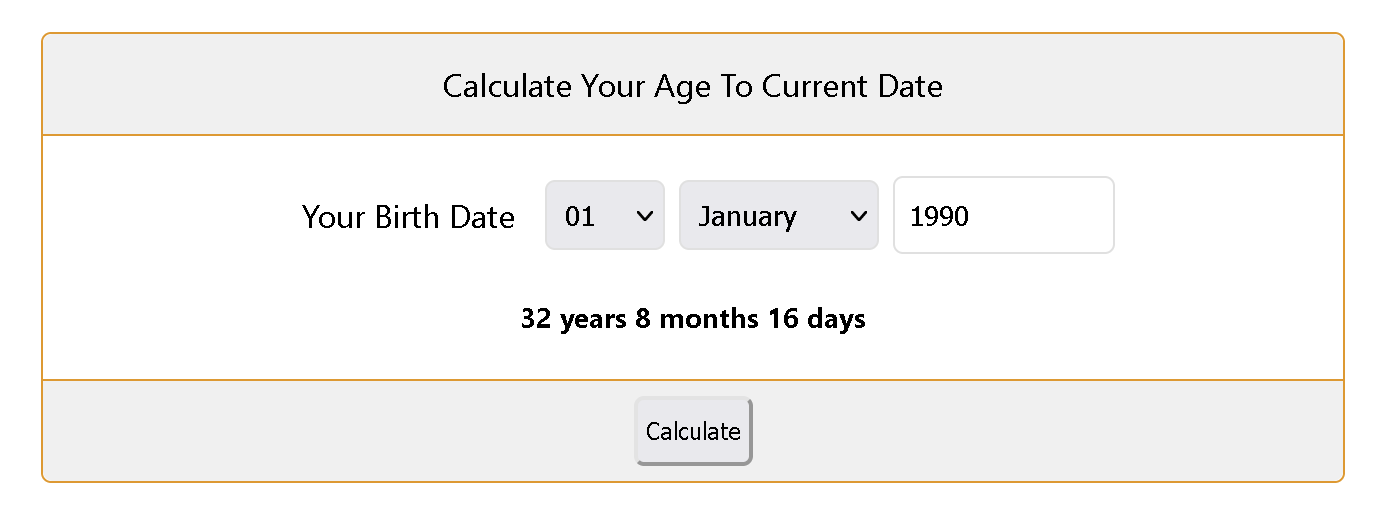
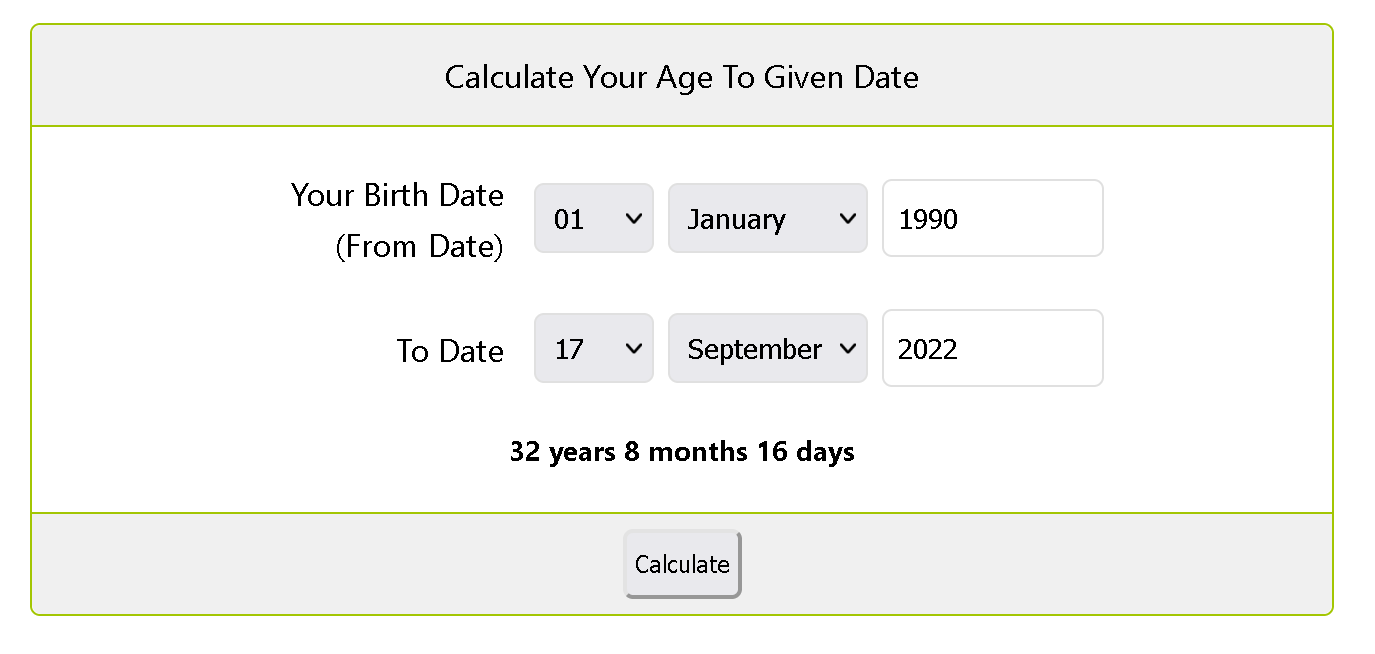
User Age Calculator is a versatile WordPress tool that allows visitors to calculate their age from their date of birth to the current date or to any specific given date.
Commonly deployed on insurance, legal, pension, birthday, horoscope, lifestyle, and healthcare websites, this plugin significantly improves user engagement, reduces bounce rates, and provides instant, engaging value for visitors.
⭐ Key Features
- Current & Target Date Modes: Calculate age relative to today, or calculate exact age at a milestone date (e.g. retirement date, anniversary).
- Exact Granular Breakdown: Outputs precise years, months, and days with accurate handling of leap years.
- Lifetime Stats: Automatically calculates total days lived, weeks lived, and upcoming birthday countdown.
- Day Born Detection: Automatically reveals the exact day of the week the user was born (Monday, Tuesday, etc.).
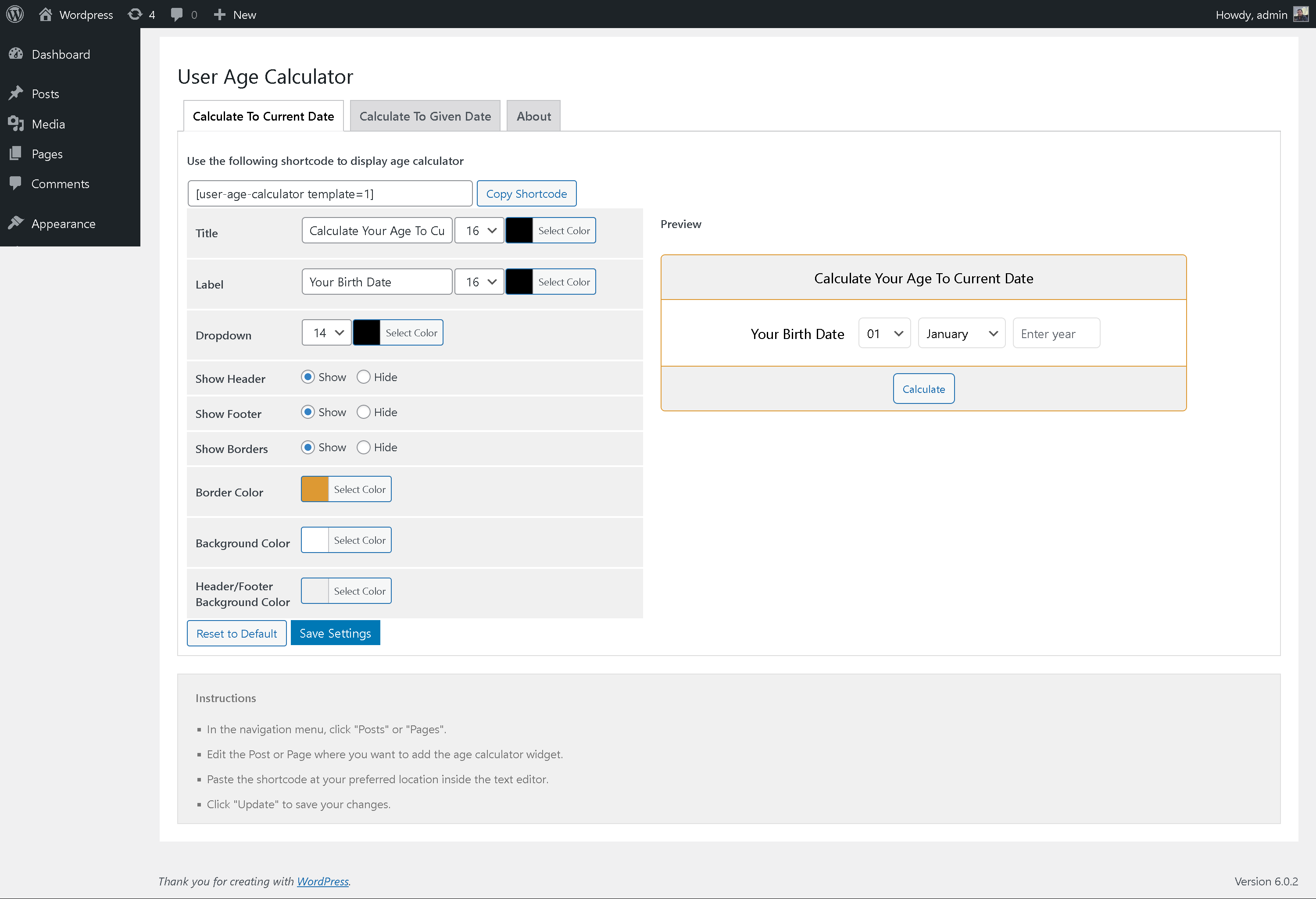
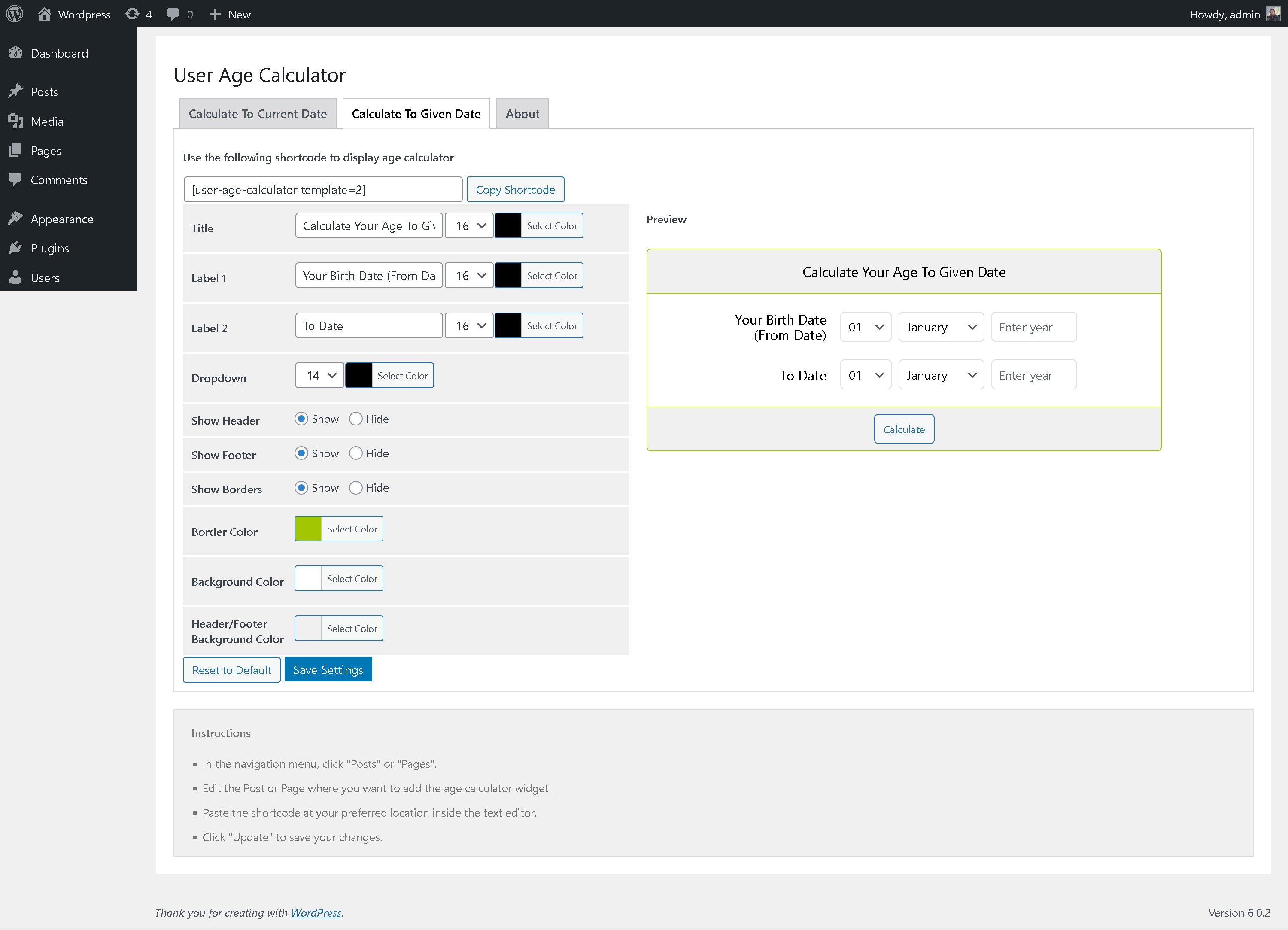
- Extensive Customization: Configure font colors, background colors, borders, and layouts via the admin dashboard.
- Increase User Engagement: Proven to keep readers interacting on the page for longer periods.
- Video Tutorial Included: Comes with a walkthrough video for setup and configuration.
📸 Plugin Screenshots
Click on any image to view high-resolution preview:
🎥 Video Walkthrough
Watch the official YouTube video guide on setting up and using the User Age Calculator plugin:
🚀 Installation & Setup
-
1
Navigate to Plugins → Add New in your WordPress Admin.
-
2
Search for "User Age Calculator".
-
3
Click Install Now and activate the plugin.
-
4
Insert the shortcode
[user-age-calculator]anywhere on your pages.
-
1
Download the latest release zip archive from GitHub:
user-age-calculator.zip -
2
Go to Plugins → Add New → Upload Plugin and upload the ZIP.
-
3
Click Activate Plugin.
Deploy directly via Git inside your WordPress plugins directory:
cd wp-content/plugins/
git clone https://github.com/vikas4travel/user-age-calculator.git
⚙️ Shortcode & Usage Reference
Place this shortcode anywhere inside your content:
[user-age-calculator]
Customization Settings
Under Settings → User Age Calculator, customize:
- Mode: Current Date vs Target Date selector.
- Colors: Result boxes background, border colors, and title styles.
- Labels: Customizing text strings for "Years", "Months", and "Days".
📝 Changelog
1.0.6
- Compatibility tested up to WordPress 6.8.
- Updated leap year date calculation logic.
1.0.0
- Initial public release of User Age Calculator.